
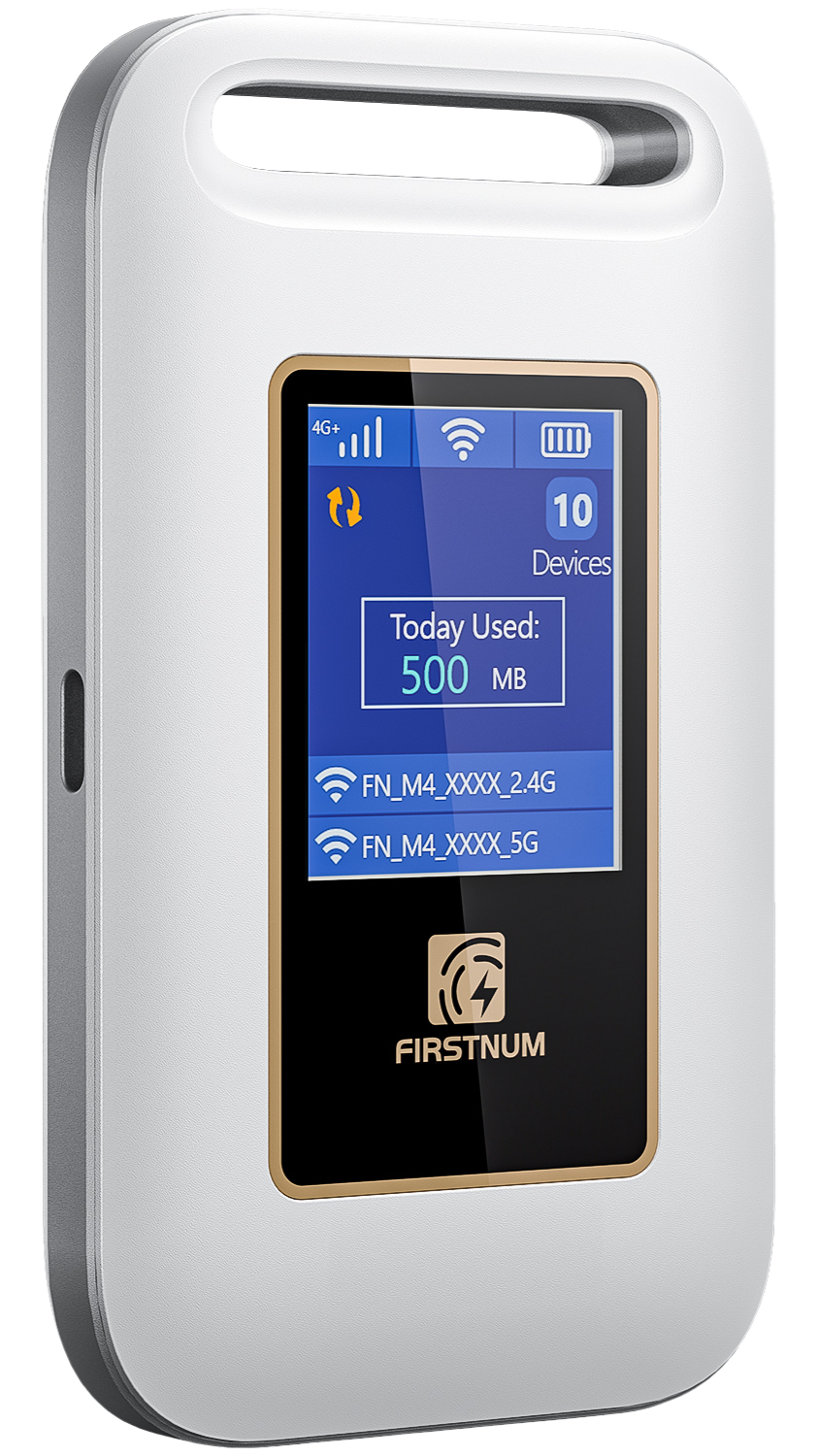
FIRSTNUM M4
M4 Quick Start
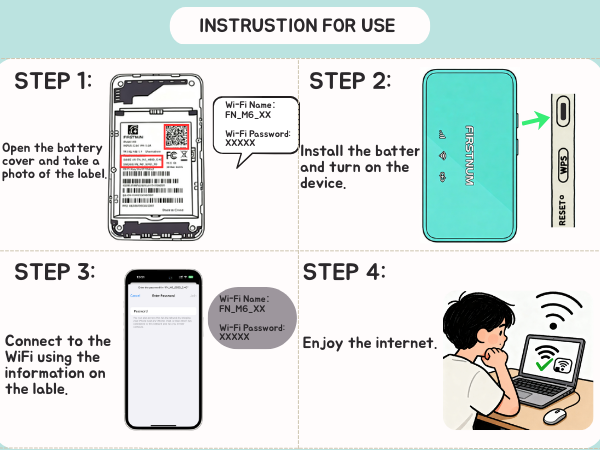
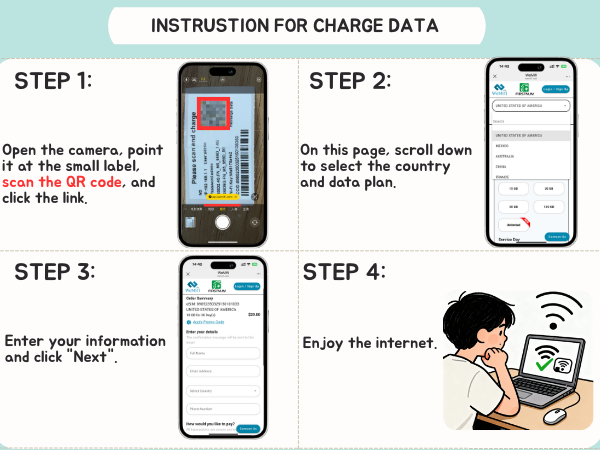
Power on, connect to the device WiFi and follow the data activation steps supplied with your device.
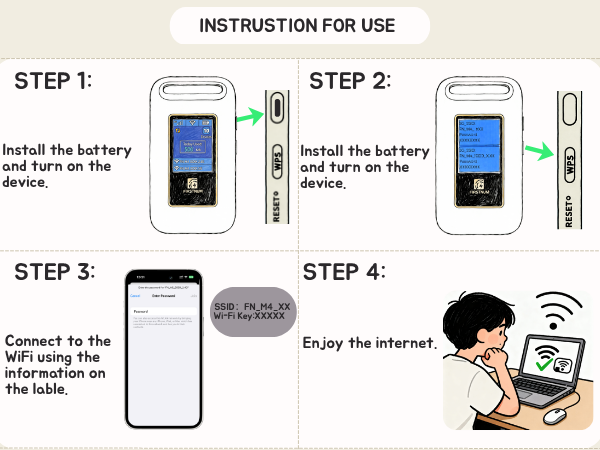
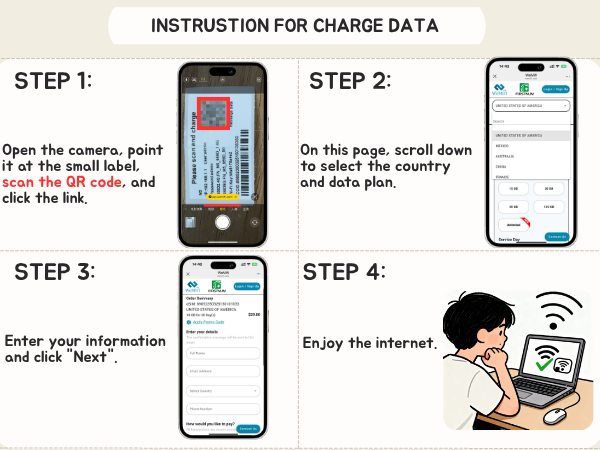
Quick-start guidance for FIRSTNUM M4, M5 and M6 portable WiFi devices.
Power on, connect to the device WiFi and follow the data activation steps supplied with your device.
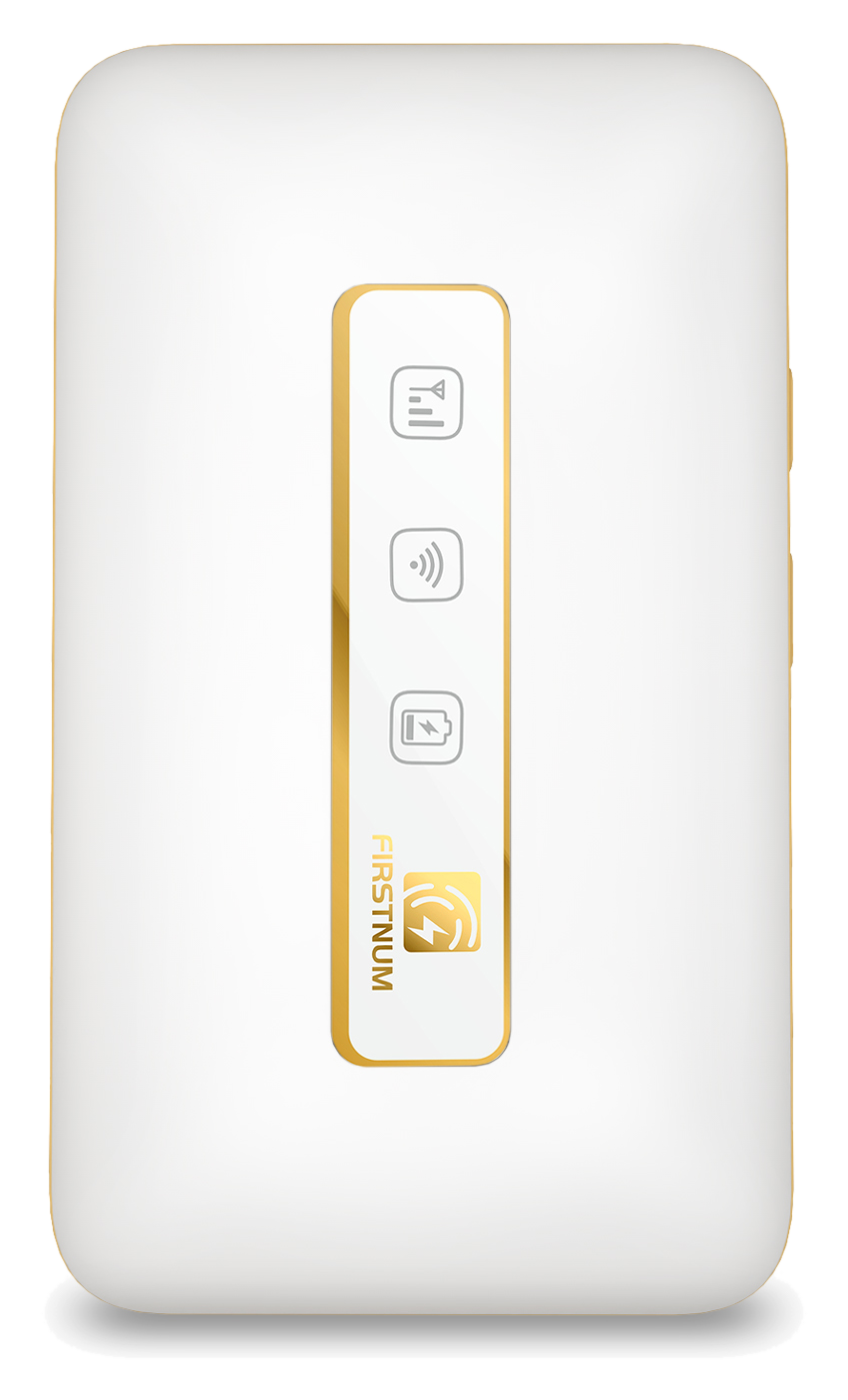
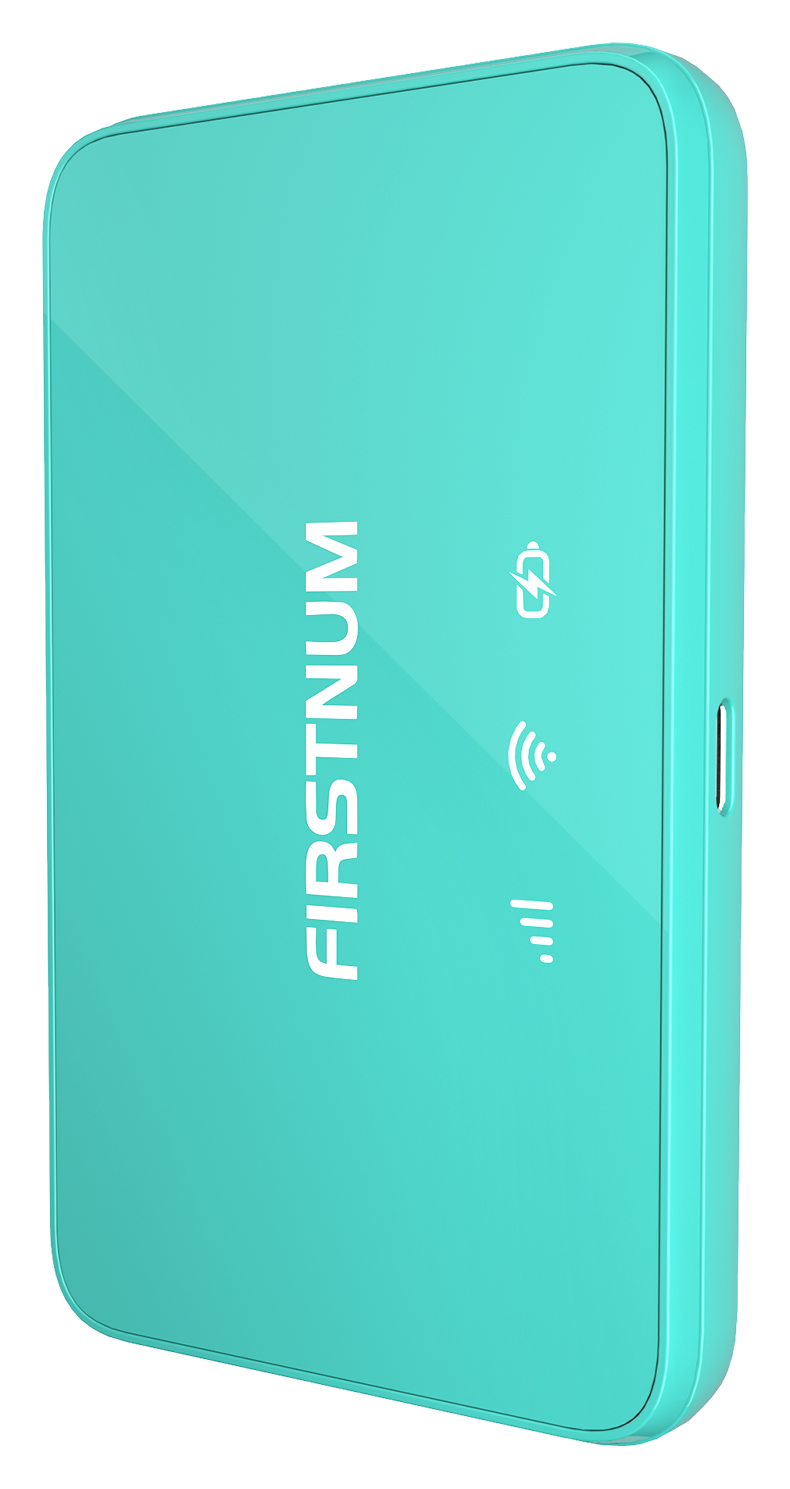
Use the LED indicators to check power, WiFi and signal status, then connect your phone, tablet or laptop.
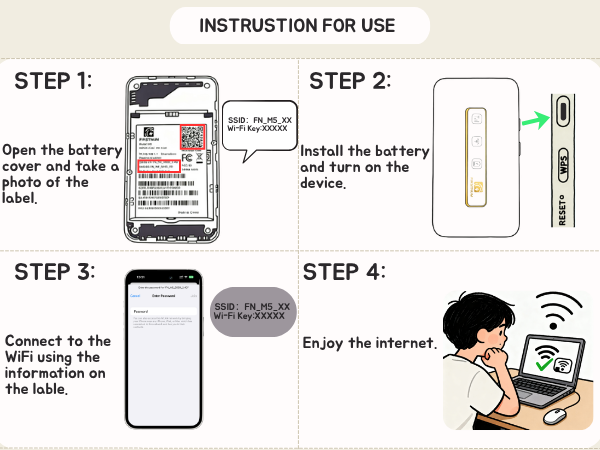
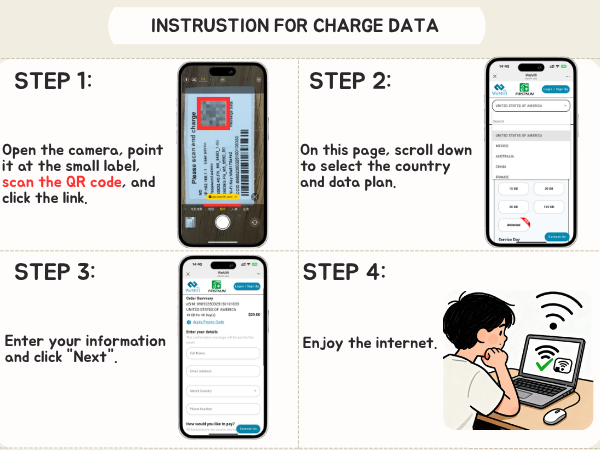
Charge the device, power it on, join its WiFi network and activate or purchase an eligible data option.
Contact support with your model, order details if available, and a description of the issue.